
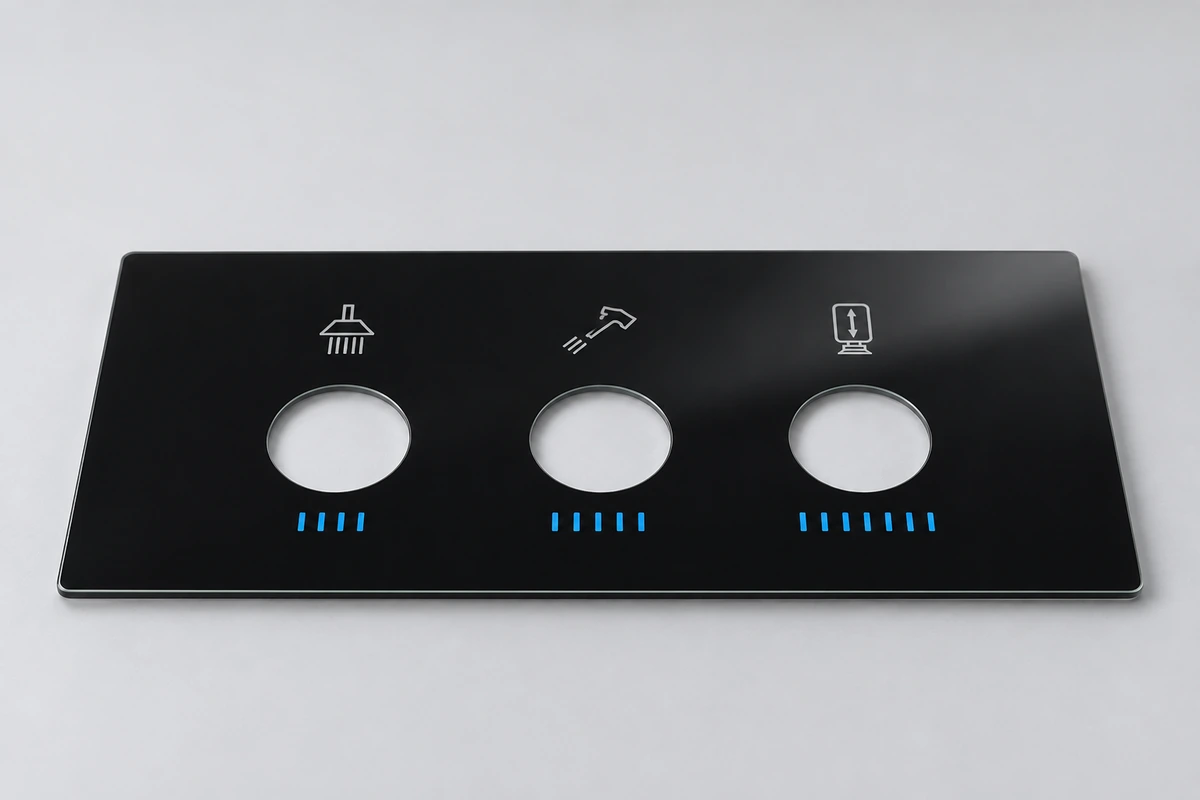
In the display industry it's called a "lens," even though it doesn't focus light like a camera lens. You'll also hear it called cover glass, a cover window or a front panel. They usually mean the same thing.
A cover lens has three jobs:
- Protecting the fragile touch sensor and display underneath
- Giving the product its finished look
- Letting touch and light pass through cleanly
Where the Cover Lens Sits
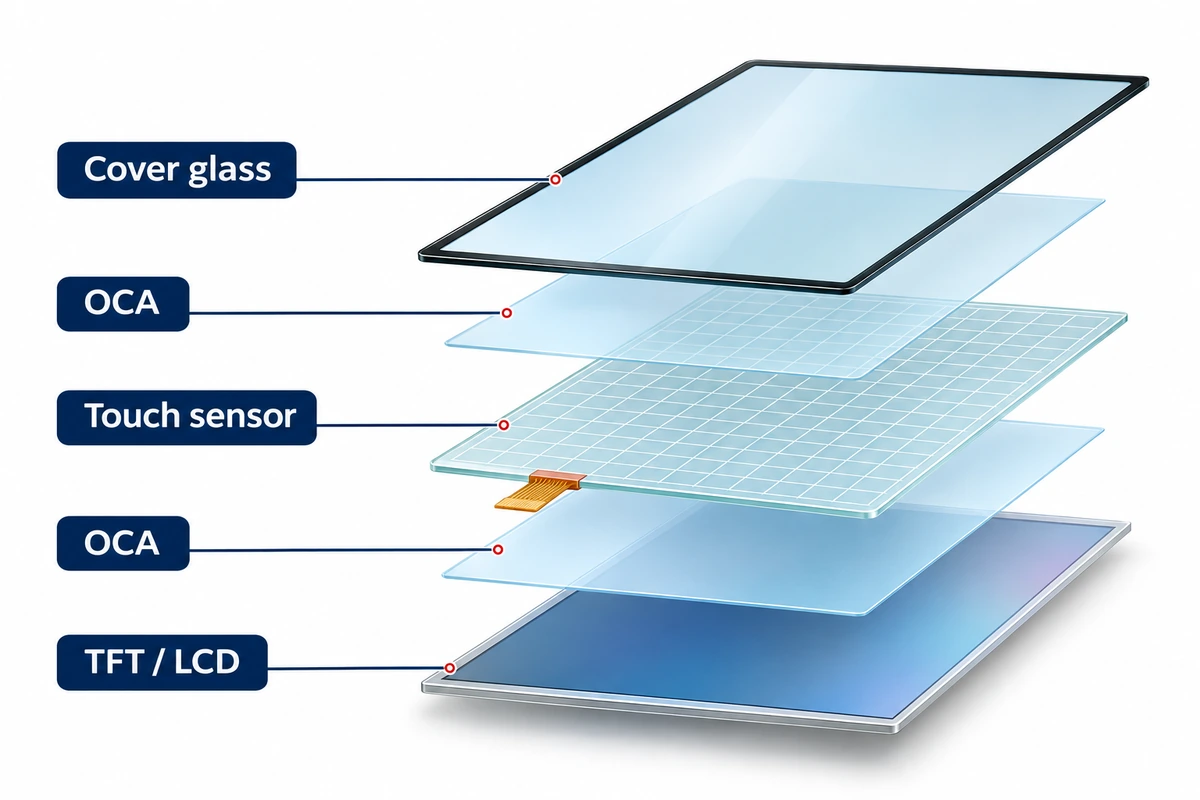
A typical touch display is a stack of layers, from front to back:
- Cover lens
- Optical adhesive, which bonds the layers together without air gaps
- Touch sensor
- Display (LCD or OLED)
The cover lens is often the thickest layer in the stack. One display maker gives a simple example: a 0.7 mm (0.028 in) cover lens, a 0.15 mm adhesive layer and a 0.55 mm touch sensor add up to about 1.4 mm, roughly twice the thickness of the cover alone.
What Turns Plain Glass Into a Cover Lens
A cover lens starts as an ordinary flat sheet of glass. Several steps turn it into a finished part.
Shaping. The sheet is cut and CNC-machined to the exact outline. Holes for cameras, speakers or buttons are drilled at the same time. The edges are ground and polished into a profile such as a small chamfer or a rounded 2.5D edge.
Strengthening. Most cover lenses are chemically strengthened: soaked in a hot salt bath that squeezes the surface into compression and makes the glass several times tougher. Thicker cover lenses, usually 3 mm and up, may be thermally tempered instead.
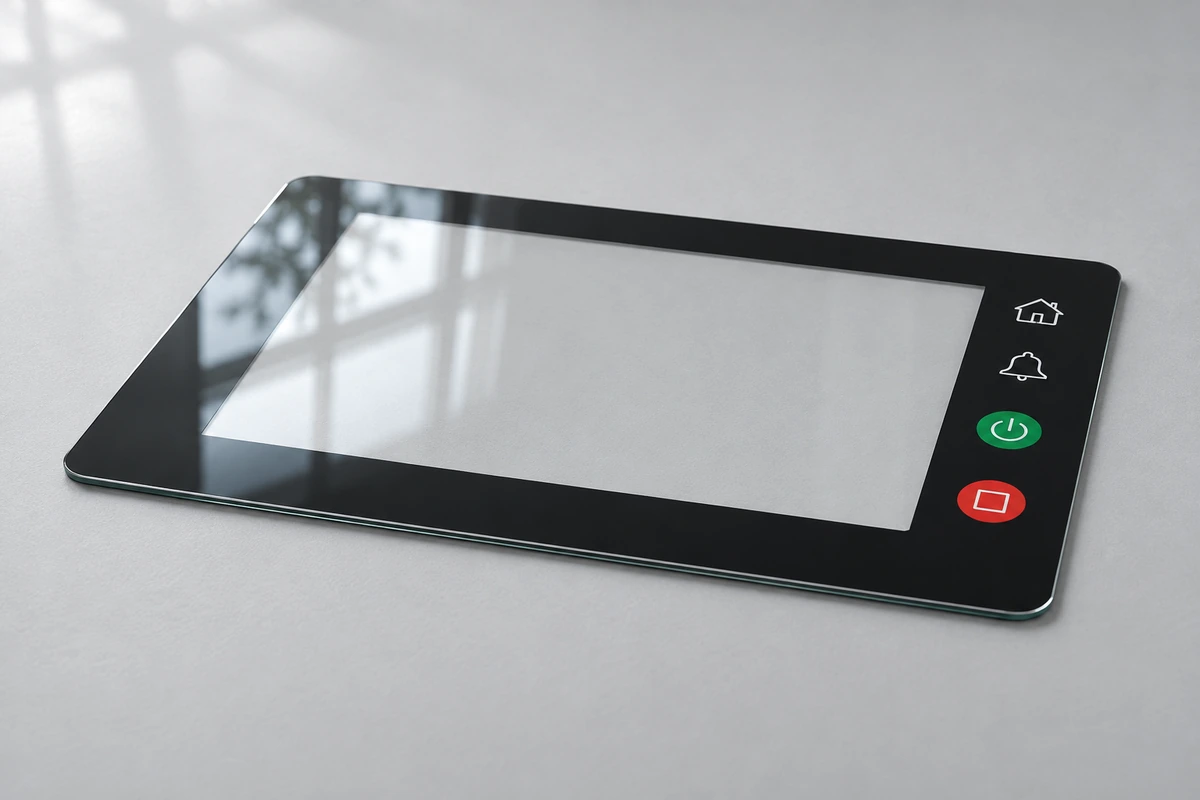
Printing. This is what makes a cover lens look like part of a product. On the back face, the side that faces the display, printing usually adds:
- A black or colored border. It hides the wiring and edges of the display, and it's why a screen looks like a neat dark rectangle when it's switched off.
- Icons and logos. Button symbols, brand marks and sometimes backlit icons that glow when lit from behind.
- IR windows. Small areas that look black like the border but let infrared light through, so sensors behind them can work. A typical target, described in an Apple patent, is less than 20% of visible light getting through, but over 80–90% of near-infrared light around 940 nm. That's why you can't see the proximity sensor on many phones.
Coatings. Finally, the front surface may get coatings: anti-glare to soften reflections, anti-reflective to cut them, and anti-fingerprint to make smudges wipe off easily.
Glass or Plastic?
Most cover lenses are glass, but plastic ones exist, usually acrylic (PMMA) or polycarbonate (PC). Each has its place.
Glass is the usual choice because:
- It resists scratches far better than plastic.
- It stays clear for the life of the product, while acrylic can yellow after long exposure to sunlight.
- It makes touch screens more sensitive. Capacitive touch works through the cover, and glass has a dielectric constant of about 7–8, compared with about 2.7–4.5 for acrylic and about 3 for polycarbonate. In simple terms, a finger "comes through" glass more clearly, so the cover can be thicker before touch suffers.
Plastic makes sense when:
- Weight matters a lot.
- The part must never shatter, for example in some children's or medical products.
- The shape is complex and volumes are low, since plastic is easier to cut and drill.
The trade-off is scratching. Even hard-coated acrylic is softer than glass, so plastic covers mark more easily in daily use.
If glass does break, how it breaks depends on how it was strengthened. Chemically strengthened glass tends to break into longer splinters, while thermally tempered glass crumbles into small, blunt pieces. The optical adhesive behind a bonded cover lens also helps hold the pieces in place.
How Thick Should It Be?
Common cover lens thicknesses include 0.55, 0.7, 1.1, 1.8, 3 and 4 mm (about 0.02 to 0.16 in).
Thinner covers, under about 1 mm, suit phones, wearables and handheld devices, where weight and slimness matter. Mid-range thicknesses, around 1–2 mm, are common on home appliances, smart-home panels and industrial controls. Thick covers, 3 mm and up, are used on kiosks, outdoor terminals and public machines that need to survive knocks or vandalism.
Touch still works through surprisingly thick glass. Some touch controllers support covers up to 15 mm (0.6 in), although the touch system has to be tuned to the thickness.
Bonded or Air Gap?
A cover lens can be fixed to the display in two ways.
With an air gap, the cover sits in front of the display, held by double-sided tape around its edges. It's simple and cheap, but the gap adds extra reflections, so the screen looks less clear in bright light.
With optical bonding, the gap is filled with clear adhesive. The screen looks sharper and has more contrast, especially outdoors, and the bonded glass is better supported against impacts. It costs more and is harder to rework.
For indoor products with modest budgets, an air gap is often fine. For outdoor use, or anywhere readability matters, optical bonding is worth it.
What a Supplier Needs to Know
When you ask a manufacturer about a cover lens, a few details let them give you a useful answer quickly:
- What the product is and where it will be used: indoors or outdoors, handheld or wall-mounted, and how rough the environment is
- The size and shape, ideally a CAD file or a sketch with the outline, holes and corner radii
- How thick it should be, or how much protection it needs
- The printing: border color and width, any icons or logos, and color references such as Pantone or RAL
- Any sensor windows, such as IR or camera openings
- Coatings: anti-glare, anti-reflective or anti-fingerprint
- Rough quantities, both for samples and for production
Even an approximate answer to each point saves a lot of back-and-forth.
If you're putting together a touch display and need a cover lens, send us what you have, even a rough sketch, and we'll help fill in the rest.